The SaaS Overload Problem: Simplifying Business Operations with Unified Platforms
Posted by AddWeb Solution
Filed in Music 265 views
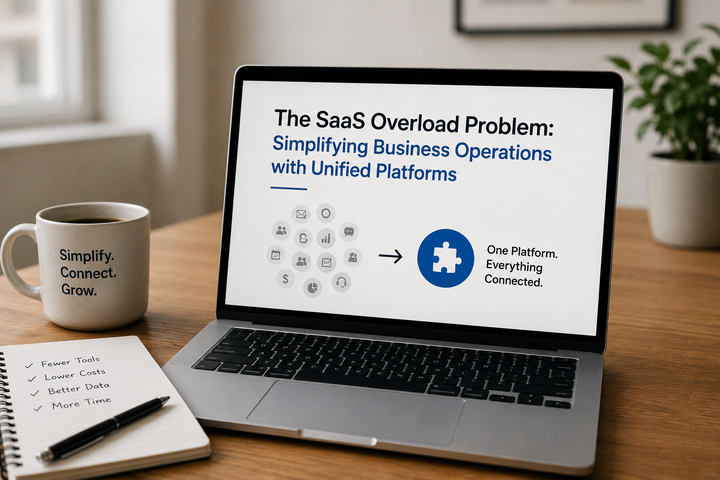
Most growing businesses crossed a line, one or more at some point in the past few years, without realising where.
They included a project management tool. Then one for CRM. Then there's one for invoicing, one for support tickets, one for email marketing, one for HR, and one for analytics. The additions were all considered at the time to be reasonable.
These were used to address specific challenges. Over time, without any one choice being a wrong one, the company developed to own about fifteen different platforms that don't really communicate.
This is excessive SaaS! This isn't a technology mistake. That's always the predictable result of software purchases – the one you make one problem at a time, and not really thinking about the broader stack in 3 years.
What overload actually costs
Too many standalone tools tend to have multiple lines of expense. It is hidden in easily overlooked areas until someone sits down and adds it up.
The first cost is the monetary expense. In an average-sized company, between eight and fifteen SaaS subscriptions are being paid for to run the core business. There are lots of those subscriptions that overlap in capabilities.
The team has some abilities that they rarely use. Each month's bill seems a reasonable price on its own. When viewed as a whole, these expenses account for a big portion of the operating budget that is not providing the value it should.
The second expense is time. If customer records are in the CRM, billing records are in the accounting system and support tickets are in your help desk, no one has a complete view of a customer without having to open all three applications.
Salespeople switch tabs when preparing for calls. Finance teams are used to exporting data from one system to another and then importing it back. The four different dashboards are pulled and the information is manually combined into a report by the manager in a spreadsheet. This work does not yield any results. It's simply overhead
Accuracy is the third cost. The more the data is transferred between disconnected systems, either as a part of an integration or by other means, including a person copying it from one location to another, the more it can go wrong. Duplicate records, obsolete contact information, inconsistent revenue amounts across CRM and accounting, and support tickets assigned to an incorrect customer.
A deteriorating data quality problem silently festers in disorganised layers and only becomes apparent after someone has to make a decision on information that subsequently proves to be incorrect.
Why businesses end up here
It helps to understand how companies develop tool sprawl, because it helps determine how to avoid it in the future after a clean-up.
The pattern is virtually always the same. A team is dealing with a pain point. Someone stumbles upon a solution using a tool. It is very easy to register, and reasonably priced to begin, causing the tool to be adopted rapidly.
No one evaluates if a tool already in the stack meets the need or if there is a space in which the new tool can fit in without "cluttering" the existing environment. Six months later, the new tool has become firmly entrenched in a team's workflow, and it would be hard to remove even if a new tool arrived that integrates better.
In small to medium-sized businesses, procurement discipline is uncommon and the individual decisions don't seem significant enough to go through a proper process. A $49 per month subscription is not subject to a committee. Fifteen $49 subscriptions are $8,820 per year, and that doesn't include the extra expenses that accompany them.
Many little, quick, contextless buys equals lots of stuff nobody designed, nobody understands.
What unified platforms actually solve
The concept behind Unified Platforms is simple: a single platform for all functions – CRM, billing, support, marketing, analytics, and more – with all the functions sharing data natively and the team working on a single interface.
While not an original concept, it has become much more practical within the last couple of years. The platforms have become more developed. The functionality gaps that used to make companies have to add on point solutions have been reduced.
The organisational expense of a fragmented tooling has become too obvious and the calculation of the trade-off has changed.
Native integration is the one that gets immediate operational value from unified platforms. If the data layer is shared by CRM and billing, then the sales rep can view the payment status without leaving the deal record.
If support and CRM are integrated, then a support agent will be able to view a customer's purchase history, open deals, and previous tickets in one place. If marketing automation and CRM are in the same system, campaign segmentation can be based on real-time sales data instead of a weekly export.
No need to delve into custom development for these integrations. They're the bare minimum that comes with a properly set-up unified platform. It makes a big difference in day-to-day experience for teams that have been manually stitching those data flows together.
The consolidation conversation
It is not just a lift-and-shift to connect a disparate stack with an integrated platform. It is a conscious decision about the business and a critical point of analysis of where the existing stack is working, where the existing stack is not working, and what would need to change to make it feasible to consider consolidation.
The initial step typically is an audit. Document all the tools that are used by the business, the associated cost, the team members using the tool, any integration with the tool, and what would break if the tool was gone tomorrow. This is an exercise that most leadership teams haven't done and most are surprised by what comes up.
Tools that individual team members have used for their projects and forgotten to cancel, expensive tools used for a single feature that a platform already in the stack is covering, the use of shadow IT tools that were adopted by individuals on their projects.
The next step is to define what a single platform would need to provide to be able to perform most of the functions now provided by the fragmented stack. It is here that specificity is important. Looking at broad comparisons of platform capabilities is not enough.
A proper analysis identifies specific workflows and data needs and matches them to the capabilities of a unified platform in the form it exists.
The third step is Migration Planning. The biggest reason for consolidation projects to fail is not that the destination platform isn't up to the task, but because the migration was underestimated.
The quality of data emerges during the migration process that was not obvious in the previous system. Procedures that have been successful due to human custom and tool idiosyncrasies require redesign. It will take time for teams sitting on a tool for years to adapt to doing the same thing in a new way.
Where Zoho fits this conversation
Zoho has definitely taken a stance to the SaaS overload and it is a strong one. Zoho One offers more than four dozen integrated applications available to use (CRM, Books, Desk, Campaigns, Analytics, Projects, People, Recruit, and so on) for a per-user cost that is generally a small fraction of the cost for a company to develop similar functionality from different vendors.
There has been a significant improvement within the depth of each application. It can take care of complicated sales activities which some years back could've just been accomplished with Salesforce.
Zoho Books has built-in support for natively handling the GST compliant accounting needs for Indian businesses. Zoho Desk offers multi-channel customer support and automation that is comparable to that of a dedicated help desk.
These are not a cut down version of what functionality does, they are full applications with a shared data layer. Its value comes to the fore when it is rightfully implemented. Businesses that loosely deploy Zoho and set it up to work find that it facilitates but doesn't transform anything.
Businesses that collaborate with Zoho Consulting Services to identify the processes and create workflows that suit their requirements, and ensure a smooth data migration experience, realize that the consolidation fulfills its promise – fewer systems, better data, less overhead, and a team working in one place instead of twelve.
The right way to think about simplification
Simplification isn't just settling for less. The biggest worry team members express during consolidation is that the consolidated platform will not offer the same set of features as their current best-in-class applications. But sometimes it's reasonable.
For a company whose financial reporting needs are truly complex, a unified platform's accounting module may not be ideal. A more advanced company requiring highly specific email deliverability needs might require a specialist sending platform.
However, most of the time the concern exaggerates the discrepancy. Three years ago the team selected the best-in-class tool in a different context, and it turned out to be the best tool available at the time. Zoho and other platforms that integrate all capabilities have filled many of the capability gaps that made consolidation impossible in the past.
The straight question isn't if the unified platform matches all the capabilities of all the tools that are being replaced. Whether the benefits of consolidation in terms of data, overhead, cost savings, governance, etc., justify this loss of capability is what the question boils down to. Yes for most of the growing business.
If you're looking for simplicity, then simplifying the stack isn't a compromise. If done correctly, it's an improvement.