Picture Cutting Out? Here’s How to Pick the Right HDMI Cable
Posted by sf cable
244 views
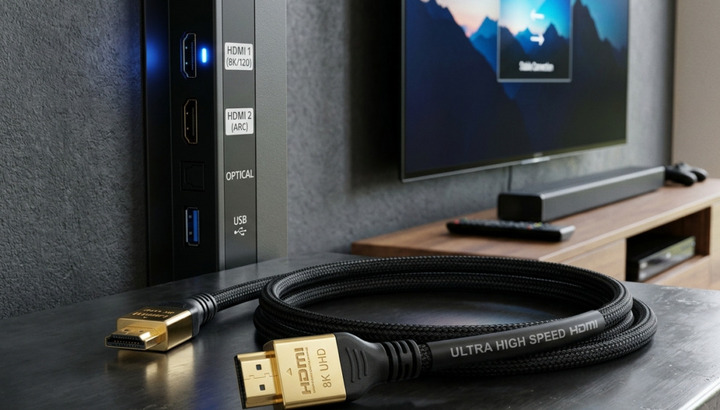
The HDMI cable is one of the most overlooked factor when it comes to screen problems during streaming, gaming, or even while you’re giving a presentation. You can think of the problem is with the streaming application, the console, or the TV, but one of the most common problems is a worn, mismatched, or poor quality cable. If you have an HDMI cable and are not aware of how it works, what it is used for, or which type to use, you could end up spending hours trying to figure things out and losing a lot of valuable time in the process.
If your HDMI picture keeps cutting out, you might have a damaged cable.If your image still cuts out, you may have a broken cable.
If an HDMI is not working properly, it will typically exhibit one of the following symptoms: screen blackout for a second and then back on, unexpected resolution change, audio disappears after when display is still playing, and the display will alternate between “no signal” and a working display. The problems are nearly always caused by either physical problems or a combination of the cable’s capabilities not matching the device’s expectations.
The more common reasons are that the plug is loose or partially disconnected, the internal wire is bent or pinched many times, the connector pins are corroded, or the cable is simply not capable of supporting the bandwidth needed by the devices that are connected to it. The high resolution, quick refresh rates, and HDR support of these cables all require more than standard-definition models ever did.
Understanding HDMI Cable Types
Not every HDMI cable is created the exact same, and there’s far more to the distinction than the connector form. On the connector side, you will usually find Standard (Type A), Mini HDMI (Type C) or Micro HDMI (Type D) connectors, depending on the size and design of the device that laptops, cameras and tablets tend to rely on the smaller of the two connectors (mini or micro) while TVs and monitors and gaming consoles almost always use the standard full-size connector.
In addition to size, HDMI cables come in different types depending on their use and function. Standard cables are designed for regular HD content and simple resolutions. The advantage of High Speed cables is that they can provide higher resolutions and frame rates, so they are appropriate for full HD and early 4K setups. Premium High Speed cables are engineered with improved shielding and consistent quality to reliably deliver both 4K and HDR. The newest tier is Ultra High Speed cables, which are capable of supporting the significantly higher bandwidth needed for 4K at high frame rates, 8K video content and high-end gaming capabilities.
Also, there are different types of Computer cables with specific purposes, like an extension cable which can be used to attach a longer cable to a device without losing any signal quality, or an active cable that incorporates built-in signal boosters for longer cable runs, or an adapter cable to allow you to use HDMI with other types of devices such as DVI or VGA.
The different versions of HDMI and their implications.
The various versions of HDMI, and what they mean to your setup.
The HDMI cables do not have a version number printed on them like the HDMI devices and ports do, but rather, the specification to which the cable is built and certified will dictate which version of the HDMI specification it supports. The earlier versions of HDMI were built to accommodate a lower bandwidth, with the newer ones capable of carrying much more data, thus allowing for higher resolution, refresh rates, and colour depth.
When devices are set to newer HDMI resolutions and formats, but the cable is not capable of handling the bandwidth required by those resolutions and formats, the picture may be stable, but it can become unstable during scenes with fast motion or when switching between types of content. This is a very common issue with the picture cutting out if many people upgrade their TV or gaming console but keep the same cable that was included with a previous unit, years ago.
Deciding on the proper HDMI 4K Cable.
When it comes to setting up a 4K TV, monitor, projector, or gaming console, many people underestimate the importance of the cable. A 4K signal will convey much more data than an HD signal and, if the cable is unable to handle it, you’ll likely know it by drops in frames, brief blackouts, or when the picture automatically lowers to a lower resolution.
There are a number of key considerations to keep in mind when buying an HDMI 4K cable. The most crucial is bandwidth capacity, which is the capacity to support 4K at higher frame rates and with HDR color data intact. The quality of the build is also more important than it appears – very little degradation in the signal appears as visible artefacts or dropouts at higher bandwidths.
Consider the following factors when choosing the best HDMI cable for your needs.
The best HDMI cable for you depends on the device you’re connecting to and how you are using the cable. If the TV is an older model and the cable box is a simple one, a standard or high-speed cable can be used. If you’re using a modern console that is plugged into a 4K HDR high refresh rate monitor, you’ll need a cable that is designed and tested for the higher bandwidth, has good shielding and connectors that don’t wiggle or loosen.
Consideration should also be given to the durability of the cable, if it is to be moved, bent, or routed through a small area. Reinforced connectors and high quality jacket materials are more likely to last longer and less likely to have intermittent connector failures that lead to picture dropouts years into the future. Finally, the cable with the right rating for your current situation, the correct dimensions for your setup, and the quality to ensure a stable connection for years.
Final Thoughts
The wavering and/or falling image is not nearly as complex as it seems at the time. It’s usually because your devices aren’t compatible with the cable you’re using or because they’re just old and worn. Once you know the various HDMI cable types, what to look out for in a 4K-ready cable and the early warning signs of a cable that will not play ball, you can troubleshoot faster and design the system to be a hassle-free viewing and gaming experience.
Original Article:- https://adaptiveblogs.com/pick-the-right-hdmi-cable/