PST Email Extractor for Bulk Outlook Email Address Extraction
Posted by Ved Prakash
Filed in Technology 7 views
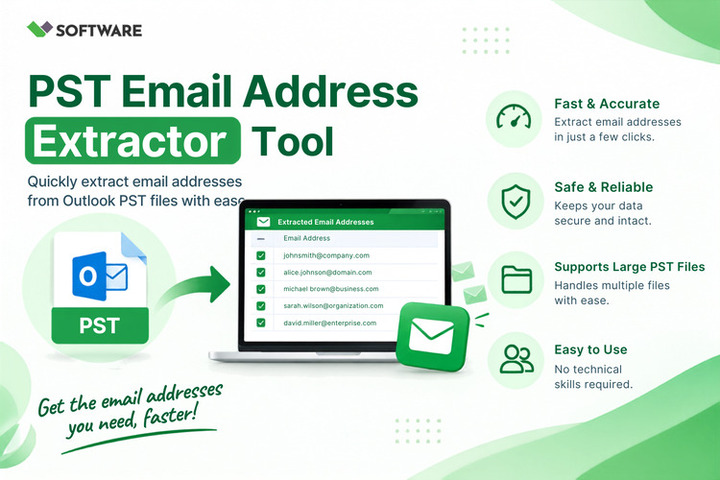
Microsoft Outlook is widely used by businesses and individuals to manage email communication. Over time, Outlook mailboxes can accumulate thousands of messages containing valuable contact information. These email addresses may belong to customers, suppliers, employees, business partners, or other professional connections. However, manually collecting them from a large mailbox can be slow, complicated, and error-prone.
A PST Email Address Extractor automates the process of locating and exporting email addresses from Outlook PST files. It can process numerous messages, scan different email fields, remove duplicate addresses, and save the results in a structured format. This makes it a practical option for bulk Outlook email address extraction.
What Is a PST File?
A PST, or Personal Storage Table, is a data file used by Microsoft Outlook to store mailbox information. It may contain emails, attachments, contacts, calendars, notes, tasks, and other Outlook items.
PST files are commonly created when users:
-
Configure Outlook with a POP email account
-
Export mailbox data from Outlook
-
Archive old emails
-
Create a backup of mailbox information
-
Transfer Outlook data between computers
-
Preserve a former employee’s business mailbox
A large PST file may contain years of communication and thousands of email addresses. These addresses can appear in different parts of the mailbox, including sender fields, recipient fields, message bodies, contacts, and email headers.
What Is a PST Email Address Extractor?
A PST Email Address Extractor is a specialized application designed to identify and collect email addresses stored in Outlook PST files. It automates the extraction process and eliminates the need to open individual emails.
Depending on its features, the application may extract addresses from:
-
From fields
-
To fields
-
CC and BCC fields
-
Email headers
-
Message subjects
-
Message bodies
-
Outlook contacts
-
Email signatures
-
Distribution lists
-
Calendar entries
After finding the addresses, the application can export them to formats such as CSV, TXT, or XLSX. Users can then review, organize, verify, or import the extracted information into an authorized contact-management platform.
Why Is Bulk Email Address Extraction Necessary?
Extracting one or two addresses manually is easy. The process becomes difficult when a PST file contains thousands of messages or when an organization needs to examine multiple PST files.
Bulk extraction may be required for several reasons:
Contact Database Creation
Important business contacts may exist in email conversations but not in the Outlook Contacts folder. Extraction helps users collect those addresses and prepare an organized contact database.
Outlook Mailbox Migration
Before moving to another email platform, users may want to export important addresses from their Outlook archives. The extracted list can serve as a supplementary contact backup.
Customer Relationship Management
Authorized sales and customer service teams may need to identify existing business contacts from historical communication. After proper verification and consent checks, approved records can be added to a CRM system.
Employee Transition
When an employee changes roles or leaves an organization, valuable business addresses may remain in an archived mailbox. An administrator can use an extraction tool to recover relevant organizational contacts.
Legal or Forensic Review
Investigators may need to identify the senders and recipients involved in specific communications. Bulk extraction can help organize these details for further authorized analysis.
Why Manual Extraction Is Inefficient
Microsoft Outlook allows users to view email addresses, but it does not provide a simple method for exporting every address found throughout an entire PST mailbox.
The manual process generally requires users to open messages, copy each address, paste it into a spreadsheet, and remove duplicate entries. This approach presents several challenges:
-
Large mailboxes require considerable time to review.
-
Users may accidentally skip important messages.
-
The same address may be copied multiple times.
-
Addresses in CC or BCC fields may be overlooked.
-
Contact information inside message bodies can be missed.
-
Copying and typing errors may reduce accuracy.
-
Processing several PST files becomes impractical.
For bulk requirements, dedicated PST Email Address Extractor Software provides a faster and more manageable approach.
How PST Email Address Extractor Software Works
A professional extraction tool analyzes the structure of a PST file and searches selected mailbox components for valid email address patterns. It usually processes the file without changing its original content.
The general extraction process includes the following steps:
-
Install and launch the extraction application.
-
Add one or more Outlook PST files.
-
Allow the software to scan the mailbox folders.
-
Select the folders that should be processed.
-
Choose the fields from which addresses will be extracted.
-
Apply date, domain, sender, or folder filters.
-
Enable duplicate removal if necessary.
-
Select an appropriate output format.
-
Choose a destination folder.
-
Begin extraction and review the exported results.
This workflow allows users to extract emails from PST file data in bulk while maintaining better control over the output.
Essential Features of an Effective PST Email Extractor
The performance and usefulness of an extraction tool depend on its features. Users should consider the following capabilities before selecting an application.
Batch PST Processing
Batch support allows users to add and process multiple PST files during one operation. This is especially important for organizations that maintain several mailbox archives.
Folder Selection
A PST file may contain Inbox, Sent Items, Drafts, Deleted Items, and custom folders. Selective extraction allows users to process only the folders relevant to their purpose.
Multiple Source Fields
Reliable software should support extraction from the From, To, CC, and BCC fields. Advanced applications may also search email headers, subjects, message bodies, contacts, and signatures.
Duplicate Address Removal
One email address may appear in hundreds of messages. Automatic deduplication ensures that each address is included only once in the final output.
Date-Range Filtering
A date filter enables users to process emails from a particular period. For example, a company may need addresses associated with communications from a specific year or project duration.
Domain-Based Filtering
Domain filters allow users to include or exclude selected email domains. This feature can separate internal employee addresses from external contacts or identify addresses associated with a particular organization.
Multiple Export Formats
The extracted information should be exportable to commonly used formats. CSV is useful for spreadsheets and CRM imports, while TXT offers a simple list that can be opened in almost any text editor.
Large File Support
A suitable extraction application should process large PST files without freezing or producing incomplete results. Users should verify any file-size or mailbox-item limitations before choosing a product.
Outlook-Independent Processing
Some applications can read PST files without Microsoft Outlook. This is helpful when archived files need to be processed on a system where Outlook is unavailable.
Benefits of Automated Bulk Extraction
Using PST Email Address Extractor Software can provide several operational benefits:
-
It saves time when processing large mailboxes.
-
It reduces manual copying and typing errors.
-
It searches several email fields automatically.
-
It supports multiple PST files.
-
It removes duplicate addresses.
-
It creates an organized and exportable list.
-
It allows focused extraction through filters.
-
It simplifies contact recovery from archived data.
-
It reduces repetitive work for administrators.
Automation makes the initial collection process more efficient, but users should still review the final results before using them.
How to Improve the Accuracy of Extracted Results
Accurate extraction depends on selecting the correct settings. Users should begin by identifying the purpose of the contact list. If only customer addresses are needed, internal domains can be excluded. If the addresses are related to a particular project, users can choose the relevant folder and date range.
Duplicate removal should be enabled to avoid repeated entries. After extraction, the output should be checked for malformed addresses, automated sender accounts, outdated contacts, and irrelevant records.
It is also advisable to create a backup copy of the original PST file before processing it. Although reputable extraction tools generally work in read-only mode, maintaining a backup provides additional protection.
Privacy and Responsible Use
An email address is a form of personal or business contact information. Extracting it from an Outlook mailbox does not automatically provide permission to send promotional messages.
Organizations should process extracted data only for legitimate and authorized purposes. They must follow applicable privacy, consent, data-retention, and anti-spam regulations. Exported contact lists should be stored securely and accessed only by authorized individuals.
Users should also avoid uploading confidential PST files to unverified online services. When a mailbox contains sensitive information, locally installed software from a trusted provider may offer better control over data processing.
Conclusion
Bulk Outlook email address extraction can be challenging when PST files contain thousands of messages and years of communication. Manual collection is slow, repetitive, and likely to produce incomplete or duplicate results.
A dependable PST Email Address Extractor automates this work by scanning multiple mailbox fields, processing large archives, applying relevant filters, and exporting email addresses in a structured format. With batch processing and duplicate removal, users can efficiently extract emails from PST file data without reviewing every message individually.
The right PST Email Address Extractor Software can assist with contact recovery, mailbox migration, CRM preparation, employee transitions, and authorized investigations. To obtain reliable results, users should select suitable folders and filters, verify the exported list, protect sensitive data, and use all collected addresses in accordance with applicable privacy and communication rules.